
Pizza Boy C Pro
Pizza EmulatorsArcade
4.3260.00 Reviews
- Version
- 7.4.5
- Installs
- 50.00K
- Age Rating
- Everyone
Screenshots
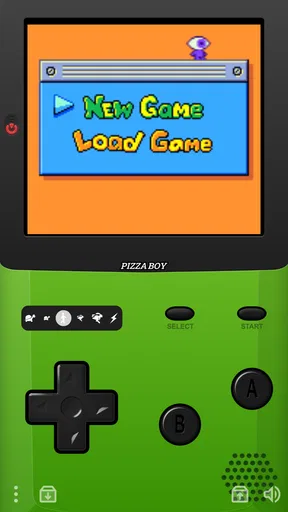
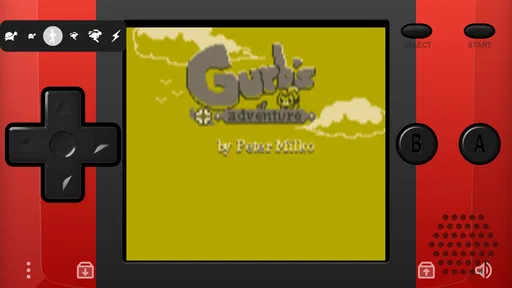
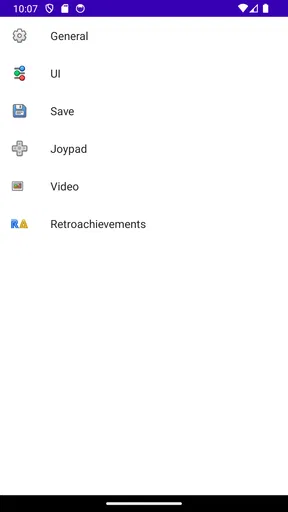
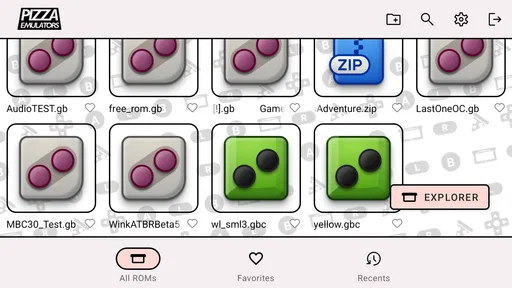
Our Review of Pizza Boy C Pro
 Analysis by Appyee
I approach Pizza Boy C Pro as a focused handheld-game emulator rather than a general-purpose arcade app. Its appeal is simple: it puts Game Boy and Game Boy Color play on a phone, with tools that can make short sessions easier to fit into everyday life. That convenience is the strongest reason to consider it, though the experience depends on having compatible game files and being comfortable with touch controls.
A focused take on classic handheld play
Pizza Emulators has built a paid arcade game with a clear retro focus. It costs $5.99, is rated Everyone, and its current version is 7.2.2; it requires Android 6.0 or later. It has a 4.4 average from around 1,100 ratings and over 50,000 installs, which suggests an established audience without making it a universal choice. I would think of it as a dedicated tool for people who already know what they want to play, not as a library of games included with the app.
That distinction matters before you buy. An emulator runs game files; it is not the same thing as a collection of licensed titles ready to launch. If you are expecting to install it and immediately browse a built-in catalogue, this is probably not the experience you have in mind. If you already have game files you are entitled to use, or are willing to sort out a lawful source and manage them yourself, the setup makes more sense.
Where the convenience pays off
The biggest practical advantage is being able to carry a familiar handheld format in the same device you already use throughout the day. A quick session while waiting for an appointment suits this kind of play better than a game that demands a long uninterrupted stretch. Save states also help when a title has awkward stopping points: I can preserve a moment before putting my phone away rather than plan my day around reaching the next in-game save.
There is a useful distinction between relying on an emulator save state and using a game's own save system. A state is convenient for pausing at almost any moment, but it is best treated as a quick checkpoint, not the only copy of important progress. For longer runs, I would use the game’s normal saving where available and keep a separate backup if the app's file-management options suit my setup. That habit lowers the risk of tying a long playthrough to one device or one particular saved snapshot.
Touch controls are another trade-off worth considering before settling in for a long session. They remove the need to carry extra hardware, but the feel of a directional pad and multiple action buttons on glass will not match a physical handheld for everyone. I would try a short, low-stakes section first, then adjust the layout and on-screen size before tackling a game that calls for precise timing. A phone stand or a comfortable two-handed grip can help, but neither turns a touchscreen into physical buttons.
Getting Started with Pizza Boy C Pro
First things first, downloading Pizza Boy C Pro was a breeze. The app is available on both Android and iOS, so no matter what device you're rocking, you're good to go. The installation process is straightforward, and within minutes, I was transported back to my childhood days of handheld gaming.
Upon launching the app, the interface immediately caught my attention. It's clean, intuitive, and doesn't overwhelm you with unnecessary features. Instead, it focuses on what matters most: delivering a seamless emulation experience. The app supports a wide range of Game Boy and Game Boy Color ROMs, which, as you can imagine, opens up a treasure trove of gaming possibilities.
Features That Stand Out
One of my favorite aspects of Pizza Boy C Pro is its performance. The games run smoothly, with no noticeable lag or glitches. This is crucial for any emulation app, as it can make or break the experience. The developers have clearly put a lot of effort into optimizing this app for various devices.
Another feature worth mentioning is the customization options. You can tweak the controls to your liking, which is a godsend for players who prefer a personalized gaming setup. Whether you want to adjust the button layout or change the on-screen size, Pizza Boy C Pro has got you covered.
And let's talk about save states. Remember those times you just couldn't beat a level and had to start all over again? With this app, you can save your progress at any point and pick up right where you left off. It's like having a personal checkpoint system in your pocket, making those challenging games a bit more forgiving.
Immersive Gaming Experience
The app doesn't just stop at emulating games; it enhances them. There are various filters and shaders available to give your games a fresh look. You can choose from different color palettes and visual effects to make the games look even more vibrant than you remember.
For those who love a bit of competition, the app also supports multiplayer features through Bluetooth and Wi-Fi. So, if you've got a buddy who's equally nostalgic, you can dive into some classic co-op or versus action together.
On top of that, the app integrates with various cloud services, allowing you to back up your game saves and settings. This means you can switch devices without losing your hard-earned progress.
Choosing the right way to play
For me, the best setup is the one that removes friction without turning configuration into a hobby. I would begin with a single game file, confirm that it appears and launches as expected, and only then bring in a larger collection. Keeping files organized by system or title makes it easier to find the game you want and to work out which save belongs to which playthrough. It also makes a future move to another device less confusing.
Visual filters are a matter of taste, not an automatic upgrade. A shader or palette can make the image feel more vivid on a modern screen, but an effect that looks appealing in a menu may soften small details during play. I would compare a few options in a familiar scene rather than spend ages searching for a supposedly perfect look. If readability is the priority, the clearest presentation is often more useful than the most elaborate one.
Multiplayer support can be a nice reason to revisit the app with a friend, but I would treat it as a feature for a planned session rather than assume every game or network setup will work identically. Bluetooth and Wi-Fi offer different ways to connect, and the practical experience can depend on both devices and the title. If multiplayer is the main reason you are buying, check that your intended game and companion setup are suitable before making it the deciding factor.
What to expect from saves and switching devices
Cloud backup is especially useful for someone who plays the same games on more than one device, but a backup is only valuable if it is easy to restore and contains the files you care about. I would test the process with a nonessential save first, then confirm that the intended game progress and settings are included before relying on it for a long run. Treating backup as a deliberate routine—not an assumption—makes switching devices much less stressful.
That also answers a common practical question: can I pick up a game later without starting from scratch? Save states are designed for exactly that kind of pause, and cloud services can help preserve saves and settings when changing devices. Still, I would not assume that every title, file arrangement, or transfer behaves the same way. A quick test before investing hours is a sensible precaution, particularly if you plan to use more than one phone.
How it compares with other ways to play
Compared with a physical handheld, this app wins on portability in the narrow sense that you do not need to carry a second gaming device. It loses the tactile buttons and the feeling of using original hardware. Compared with free or broader emulation alternatives, the paid price asks you to value this app's focused interface and its collection of play and customization tools. I would not pay simply because the word “retro” sounds appealing; I would pay if I expect to use the Game Boy and Game Boy Color support regularly and want an emulator-centered experience.
It is also not the right substitute for a modern arcade game if you want fast online matchmaking, a stream of fresh levels, or a game library supplied inside the app. Its value is tied to the specific older systems it emulates and to the files you bring. Someone who wants instant, self-contained entertainment will likely have a smoother time with a conventional mobile game. Someone who wants to revisit a particular handheld title may find the setup worthwhile.
Who will get the most from it
I would recommend it to players who already have a short list of Game Boy or Game Boy Color games in mind, enjoy adjusting controls and visuals, and like the freedom to pause whenever life interrupts. It can suit a commute, a quiet break between tasks, or a relaxed evening when I want a familiar game without setting up a console. A realistic routine is to keep one game ready, use a save state before putting the phone away, and return to it later rather than repeatedly searching through a large collection.
I would steer away from it if you do not want to manage game files, strongly prefer physical controls, or expect the app to provide games. It may also be a poor fit if you mainly want current releases or a social arcade experience with little setup. The Everyone age rating makes it broadly accessible, but that does not change the basic need to choose appropriate game files and handle them responsibly.
Final Thoughts
All in all, Pizza Boy C Pro delivers a stellar emulation experience that brings those classic Game Boy and Game Boy Color games back to life. It's user-friendly, packed with features, and offers a smooth gaming experience that's hard to beat.
If you're itching to relive your favorite retro games or discover new ones you missed back in the day, this app is definitely worth checking out. Just make sure to have your ROMs ready, and you'll be set for hours of nostalgic fun.
So, what are you waiting for? Grab a slice of retro gaming goodness and give Pizza Boy C Pro a try. Trust me, you won't regret it!
Verdict
Strengths of Pizza Boy C Pro
- Highly accurate GBA emulation.
- Customizable on-screen controls.
- Supports multiple ROM formats.
- Fast save and load states.
- Excellent performance on low-end devices.
Limitations of Pizza Boy C Pro
- No built-in ROMs, must provide your own.
- Some features require in-app purchases.
- Limited multiplayer options.
- Occasional minor graphical glitches.
- Requires Android 4.1 or higher.
Other Releases by Pizza Emulators
View All
Pizza Boy A Basic
Arcade4.9

Pizza Boy A Pro
Arcade4.8
Similar Picks in This Category
View All
Subway Surfers
SYBO Games4.6

Stickman Party 234 MiniGames
PlayMax Game Studio4.6

Subway Princess Runner
Ivy4.4

Temple Run
Imangi Studios4.2

Zombie Tsunami
Mobigame SAS4.6

Stack Ball - Crash Platforms
CASUAL AZUR GAMES4.5
Frequently Asked Questions
What are the key features of Pizza Boy C Pro?
Pizza Boy C Pro is a highly optimized Game Boy Color emulator that offers smooth gameplay, high compatibility, and advanced features. It includes customizable controls, save states, fast forward capabilities, and support for external controllers. Additionally, it provides a user-friendly interface and allows for enhanced graphics through customizable shaders.
Is Pizza Boy C Pro compatible with all devices?
While Pizza Boy C Pro is designed to work on a wide range of Android devices, it performs best on newer hardware due to its high optimization. It requires Android 4.1 or higher, and users with older or less powerful devices may experience reduced performance or compatibility issues.
Does Pizza Boy C Pro support external game controllers?
Yes, Pizza Boy C Pro supports external game controllers, providing a more authentic gaming experience. It allows users to connect controllers via Bluetooth or USB, and you can customize the button mapping to suit your preferences. This feature is particularly appealing to gamers who want a console-like experience on their mobile device.
Are there any in-app purchases or ads in Pizza Boy C Pro?
Pizza Boy C Pro is a premium application, which means it is a paid app with no in-app advertisements or purchases. Once purchased, users have full access to all features without any interruptions from ads, ensuring a seamless gaming experience. This is a major advantage for those who prefer a clean and uninterrupted interface.
How does the save state functionality work in Pizza Boy C Pro?
Pizza Boy C Pro offers a robust save state feature, allowing players to save their game progress at any point, even outside of traditional save points. This means you can pause and resume your games at your convenience. The app also supports multiple save slots, so you can maintain different progress points for various games.
Play our best games!


